Register LTO Portal (LTMS) – Step-by-Step Account Registration Guide
Registering an account on the LTO Portal, officially known as the Land Transportation Management System (LTMS), is required to access most online services of the Land Transportation Office. This guide explains the exact registration process step by step, along with requirements and solutions to common registration problems to Register LTO Portal
What Is LTO Portal Registration (LTMS)?
LTO Portal registration allows you to create a personal LTMS account where your driving license in the Philippines, vehicle records, payments, and transactions are stored digitally. Once registered, you can access LTO services online without repeatedly visiting LTO offices.
An LTMS account is used for license renewal, vehicle registration services, appointment booking, and viewing driving records.
Requirements for LTO Portal Registration
Before starting the registration process, make sure you have the following ready.
Basic Information Needed For LTO Registration
Do You Need a Driver’s License to Register For LTO?
A driver’s license number is optional during registration.
Even if you are a first-time applicant or student permit applicant, you can still register using only your personal details.
How to Register LTO Portal (Step-by-Step)
Follow the steps below carefully. You can place screenshots after each step for better clarity.
Step 1 – Open the Official LTO Portal Website
Visit the official LTO LTMS website using a secure browser. Make sure you are on the legitimate government platform to avoid scams. Or you can click on below button, it will take you to the official website of LTO/LTMS.
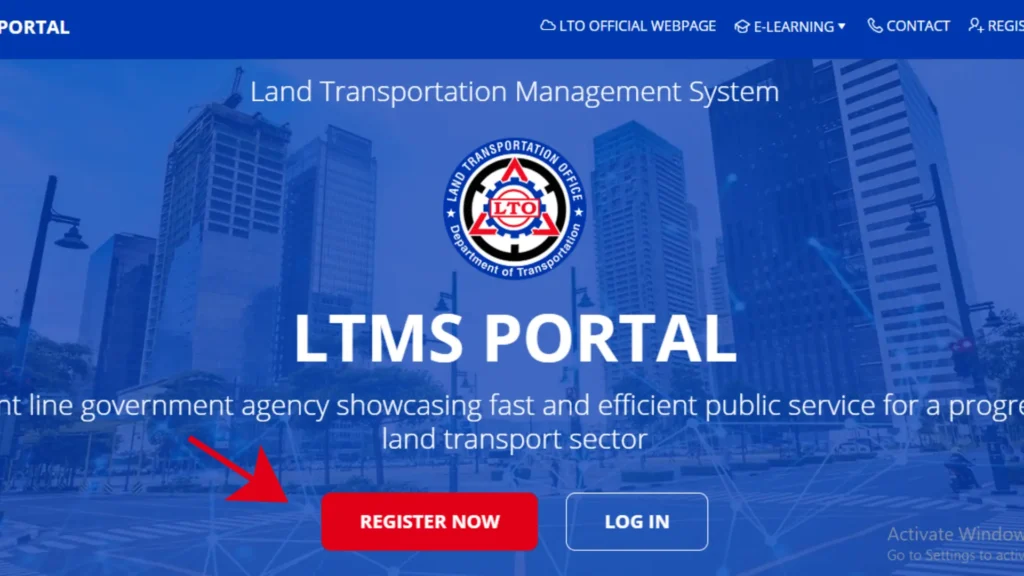
Step 2 – Click on “Register Now”
On the homepage, locate and click the “Register Now” button to begin creating your account. Then Accept the Terms of Agreement and select Next.
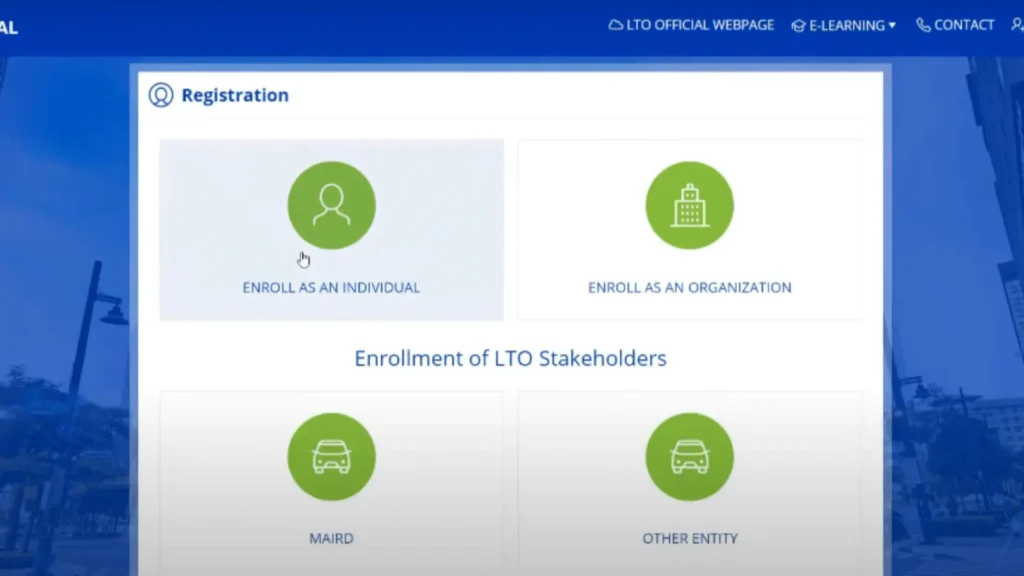
Step 3 – Select Account Type
Choose the appropriate account type. Most users should select Individual unless registering for a business or organization.
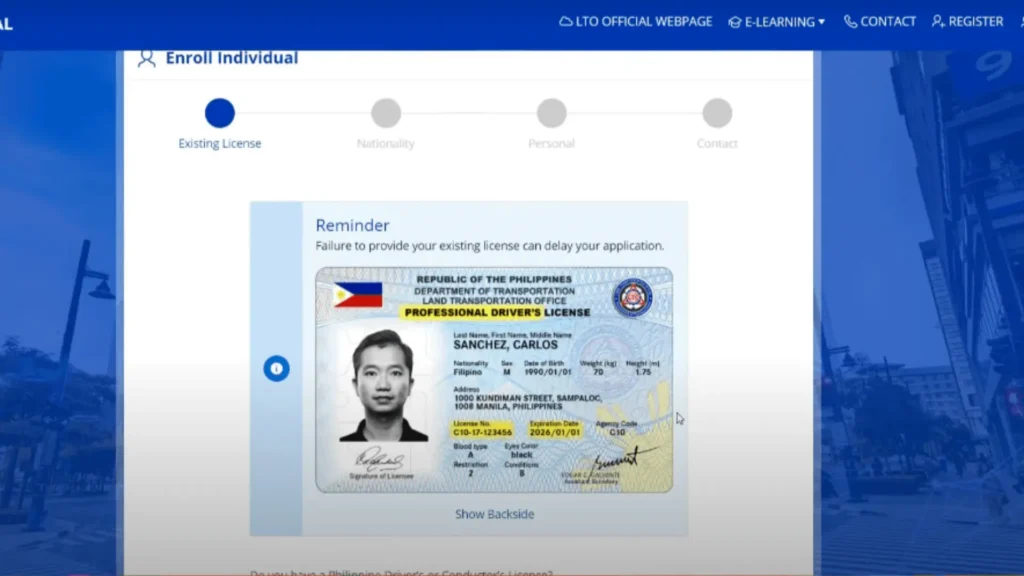
Step 4 – Enter Personal Information
Fill in your basic personal details such as:
Ensure all information matches your official documents.
Step 5 – Provide Email Address and Mobile Number
Enter a valid email address and active mobile number. These will be used for verification and account recovery.
Step 6 – Create Username and Password
Set your login credentials by creating:
Follow the password rules shown on the page.
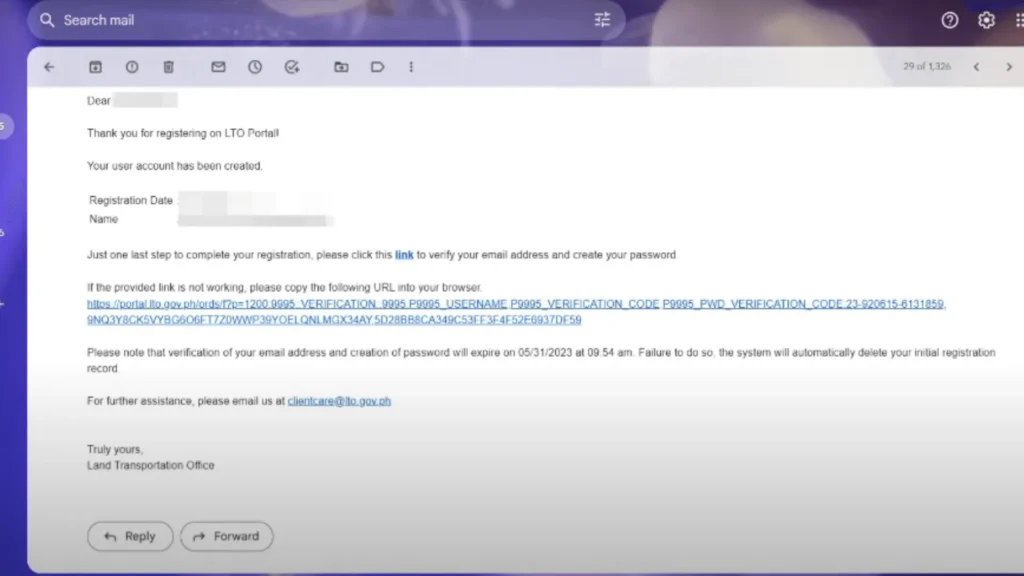
Step 7 – Verify Your Email Address
After submission, LTO will send a verification link to your email. Open your inbox and click the verification link to activate your account.
Step 8 – Log In to Your LTMS Account
Once verified, return to the LTO Portal and log in using your registered email and password. Your LTMS account is now active.
or you can read complete guide for LTO Portal Login
For Motor Vehicle Registration guide Click Here
Common LTO Portal Registration Problems & Fixes
Email Verification Not Received
Check spam or promotions folders. If not found, wait a few minutes and request a new verification email.
Registration Failed or Error Message
This usually happens due to high traffic or incomplete details. Refresh the page and try again later.
Invalid or Incorrect Information Entered
Double-check spelling, date of birth, and email accuracy before submitting the form.
Account Already Exists
If your email is already registered, use the Forgot Password option instead of creating a new account.
Is LTO Portal Registration Free and Safe?
Yes. LTO Portal registration is completely free.
It is an official government system, and no payment is required to create an account.
For safety:
Frequently Asked Questions (FAQs)
Conclusion
Registering on the LTO Portal (LTMS) is a simple but essential step for accessing LTO services online. By following the step-by-step process above and ensuring accurate information, you can create your account quickly and securely. Once registered, managing licenses, vehicle records, and appointments becomes faster and more convenient
If you want to Check Coding Hours in your city, you can try our Number Coding Status Checker Tool